Wondering, can you sell digital products on Shopify in 2026? Absolutely—Shopify lets beginners sell PDFs, templates, audio, video, and mini-courses with ease. Many still think this platform is just for physical goods, but digital is fully supported. In this guide, you’ll learn how to set up your store, upload files, automate delivery, handle pricing, and stay compliant with tax and refund rules. You’ll also see real examples and screenshots, plus get a step-by-step launch plan to help you start selling digital products on Shopify quickly and confidently.
Confused about whether Shopify is just for shipping physical goods? You are not alone. Many beginners wonder, can you sell digital products on Shopify, like PDFs, templates, or online courses? The answer is yes, and Shopify is more flexible than ever in 2026.
Shopify started as a platform for physical stores, but it now fully supports digital products. You can sell PDFs, templates, audio files, video tutorials, mini-courses, eBooks, and printables—all from your Shopify store. This means creators, educators, and designers are launching new digital storefronts every day.
Common Misconceptions
One big myth is that Shopify only works for products you ship. In reality, Shopify’s tools make it easy to sell files, downloads, and even membership-based access. If you are asking, can you sell digital products on Shopify, the answer is a clear yes, and you can get started in just a few steps.
What Counts as a Digital Product?
Here are some popular digital items you can sell on Shopify:
Quick Setup Steps
Getting started is simple. Here is a fast setup checklist:
How Delivery Works
Shopify’s built-in Digital Downloads app makes file delivery easy. After purchase, customers get a secure link to download their product instantly. You can set download limits and file size caps. For more details on setup, file size, and delivery, check out the Shopify Digital Downloads app features.
Key Limitations
There are a few things to keep in mind:
Proof and Data
Over 2 million merchants use Shopify, and digital products are now among the fastest-growing categories, according to Shopify’s 2024 report. For example, selling a PDF planner is as easy as uploading the file, while a video course might need a larger file or an external video link.
| Product Type | Setup Steps | Delivery Method |
|---|---|---|
| PDF Planner | Upload PDF | Instant download link |
| Video Course | Upload MP4/ZIP/link | Download or video access |
2026 Updates and Trends
Shopify keeps improving its digital commerce tools. In 2026, expect better mobile delivery, more automation for file protection, and support for AI-generated content. More creators are bundling products and offering interactive downloads.
If you are still wondering, can you sell digital products on Shopify, the answer is not just yes—it is easier and more profitable than ever. Start with a single product, follow the simple steps, and you will be ready to launch.
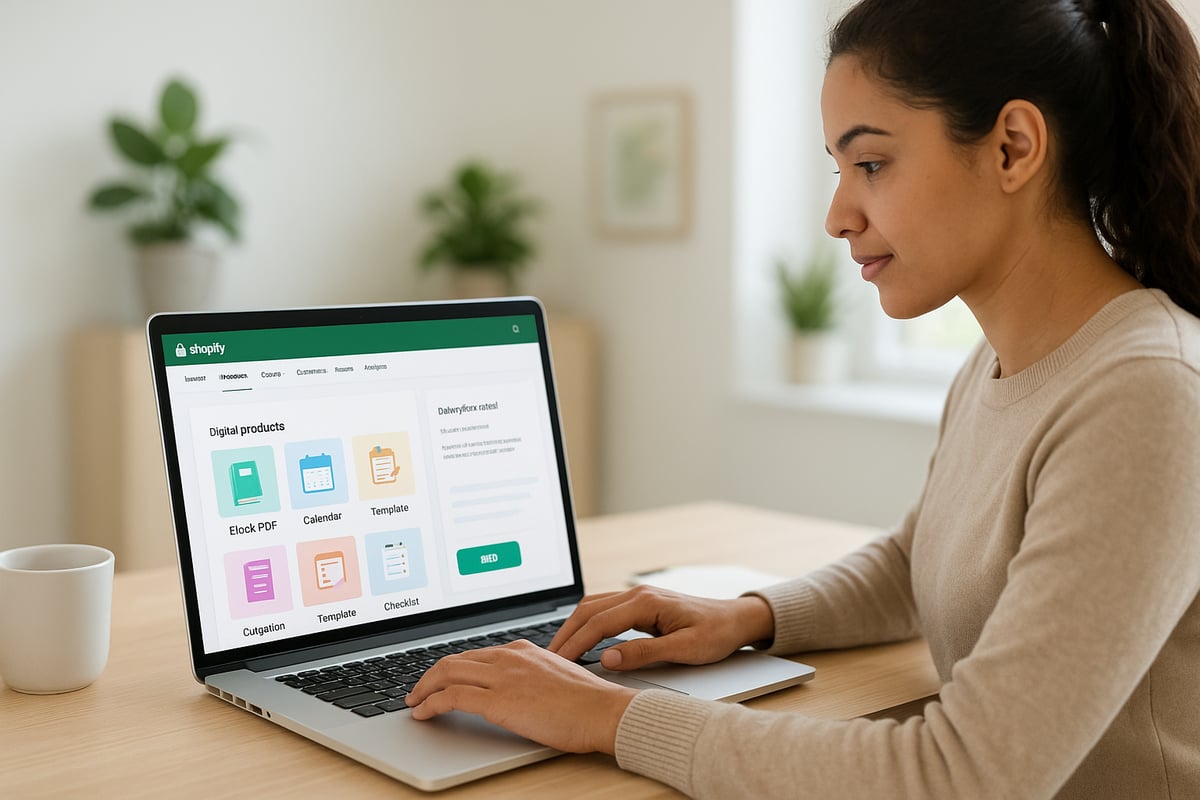
If you are new to Shopify, you might wonder: can you sell digital products on shopify, or is it only for physical items? The good news is, Shopify fully supports digital products, making it simple for beginners to get started.
Digital products come in many forms. Some of the most popular options include PDFs (like planners or workbooks), eBooks, Notion templates, design assets, audio files, music tracks, stock videos, online courses, and printables. Each type caters to a specific audience, letting you turn your knowledge or creativity into income.
Let’s break down a few common categories:
Many creators wonder, can you sell digital products on shopify that are niche or unusual? Absolutely. For example, some Shopify stores thrive by selling unique digital planners, curated music packs, or step-by-step mini-courses for hobbies like photography or language learning.
Licensing and usage are important considerations. Decide if your products are for personal or commercial use, and always add clear terms to your product pages. This helps prevent confusion and builds trust. For instance, a design asset might allow commercial use, while a printable planner is just for personal tasks.
What about trends for 2026? Digital products are evolving quickly. AI-generated content is on the rise, offering new ways to create and bundle digital goods. Interactive products, like editable PDFs or clickable templates, are gaining traction. Bundling several items together also boosts value for buyers. If you want to learn how AI can help you create or manage digital products more efficiently, check out AI tools for content creators.
Today’s customers expect instant access, clear download instructions, and mobile-friendly files. According to Statista, digital downloads and e-learning sales keep growing year over year, showing strong demand.
If you are still asking, can you sell digital products on shopify as a complete beginner, the answer is yes. Many first-time creators have found success by starting small, listening to customer feedback, and refining their offerings over time. With the right product and a clear setup, you can turn your expertise or passion into a thriving Shopify store.

Getting started can feel confusing if you think Shopify only works for shipping physical goods. The truth is, can you sell digital products on Shopify? Absolutely. Shopify supports everything from PDFs to full video courses. Let’s break down the exact steps for a smooth digital product launch.

First, pick a theme that fits digital storefronts. Clean, fast-loading themes help your downloads stand out and make navigation easy. Popular options include “Minimal” and “Dawn” for their speed and clarity.
Next, decide how can you sell digital products on Shopify. The built-in Digital Downloads app is the simplest way for beginners to deliver files instantly after purchase. For more advanced needs, like larger files or more control, consider third-party apps. Before you choose, it’s smart to review the limitations of Shopify's Digital Downloads app to ensure the features match your product type.
Supported digital products:
Once your theme and app are ready, you’re set up to offer a professional digital shopping experience. This is the foundation for can you sell digital products on Shopify as a beginner.
Head to your Shopify admin and click “Add product.” Enter a clear title, a compelling description, and upload high-quality visuals. Explain exactly what buyers get. For example, “2026 Productivity Planner PDF – instant download.”
Upload your digital file (PDF, ZIP, MP3, or video). In the product settings, toggle “no shipping required.” This step is essential for can you sell digital products on Shopify, as it prevents customers from expecting a physical shipment.
Set download limits to protect your file—usually 3-5 downloads per purchase is enough. Note Shopify’s file size limit (currently 5GB per file in most apps). If your product is larger, consider compressing files or splitting them into modules. Preview your product page to ensure everything looks polished before you go live.
Screenshot tip: Capture your product page setup and the file upload screen for reference. This helps you double-check every detail.
Pricing is key for success. Use anchor pricing (show a higher “compare” price) or create premium tiers for bundles and upsells. For example, offer a single PDF for $12 or a bundle of templates for $29.
If you sell to customers in the EU, UK, Australia, or Canada, can you sell digital products on Shopify and handle taxes? Yes—you must set up VAT/GST rules for digital goods. Shopify’s tax settings let you automate this step.
Add a license or usage terms section on your product page. Explain if buyers get personal or commercial use and include refund policy details. Here’s a simple table for pricing:
| Product | Price | License Type |
|---|---|---|
| Single Planner | $12 | Personal use |
| Bundle Pack | $29 | Personal/Com. |
This clarity helps build trust and ensures buyers know exactly what they’re getting.
Always test the full buying process before launch. Add your digital product to cart, go through checkout, and use a real payment method if possible. Can you sell digital products on Shopify and guarantee smooth delivery? Only if you test!
After purchase, Shopify (or your app) sends an automated email with a download link. Open the email, click the link, and confirm the file downloads quickly. If you spot issues (like emails landing in spam or failed downloads), adjust your settings or reach out to app support.
Screenshot tip: Save a copy of the delivery email and the download link page. This makes troubleshooting and customer support much easier.
Most buyers shop on mobile, so ensure your product pages and downloads display perfectly on phones and tablets. Can you sell digital products on Shopify and make them accessible? Yes, if you follow best practices.
Use large, clear buttons for downloads. Make sure your PDF or video files open easily on all devices and include alt text for images. Test your store in both mobile and desktop views.
For accessibility, provide transcripts for audio/video and ensure your store’s fonts and colors are easy to read. This creates a welcoming experience for every customer.
Wondering, can you sell digital products on Shopify and actually deliver them smoothly to your customers? Absolutely. Delivering digital goods like PDFs, templates, and courses is one of Shopify’s strengths, especially with beginner-friendly tools.

Shopify’s own Digital Downloads app makes it easy for any beginner to deliver files right after purchase. Once you upload your product (like a PDF planner or eBook), Shopify automatically sends a secure download link to your customer’s email.
You can set download limits, control file sizes, and even customize the delivery email. Many creators ask, can you sell digital products on Shopify without extra tools? For most simple products, this built-in app is all you need.
Here’s how the typical flow works:
This process is smooth and reliable, but there are file size and download attempt limits. For most PDFs, templates, or audio files, the built-in system is perfect.
If your digital products are larger or you want advanced features, third-party apps like SendOwl, Sky Pilot, or Pulley are great options. These tools help you automate delivery, track downloads, and even offer streaming for video courses.
Many creators wonder, can you sell digital products on Shopify and make it a passive income stream? By using automation tools, you can. For a deeper dive into how these tools can help you earn passively, check out Passive AI income tools.
With these apps, you can:
Choose the system that matches your product type and customer needs.
Setting download limits is important for protecting your work. Most apps let you limit how many times a customer can access their file, or set links to expire after a certain period.
Support is key when you sell digital products. Can you sell digital products on Shopify and handle customer questions easily? Yes. Always test your process: buy your own product, check the delivery email, and make sure the download works on desktop and mobile.
If a customer has trouble downloading, provide a clear FAQ and a way to reach you for help. Fast support can turn a frustrated buyer into a loyal fan.
Did you know 80 percent of digital product buyers expect instant access? Meeting this expectation makes your store look professional and builds trust.
So, can you sell digital products on Shopify and deliver them quickly as a beginner? Yes, and with the right setup, your customers get instant, hassle-free access every time.
Selling digital products on Shopify comes with unique legal and compliance factors. Many first-time sellers wonder, can you sell digital products on shopify and how does the law treat them differently from physical goods? Let’s break down the essentials so you launch with confidence.
Unlike physical goods, digital products often have stricter refund policies. Once a customer downloads a PDF, template, or video, it can’t be “returned.” This makes it crucial to clearly state your refund policy on your product and checkout pages.
A typical policy might say, “All digital sales are final due to instant access.” However, some regions require a cooling-off period or exceptions for defective files. Always check local laws before setting your terms.
With over 2 million merchants and growing, Shopify sellers need to stay compliant. According to Shopify's 2024 Gross Merchandise Volume, the platform’s digital sales are booming, making legal clarity more important than ever. When asking, can you sell digital products on shopify, the answer is yes, but you must set expectations for refunds upfront.
Licensing protects your work and clarifies how buyers can use digital products. Will your PDF planner be for personal use only, or can customers resell or modify it? Spell out these terms on every product page.
A sample license might read:
This download is for personal use only. Commercial redistribution or resale is prohibited.
Clear usage terms help prevent misunderstandings and unauthorized sharing. When you ask, can you sell digital products on shopify, remember that explaining licenses is part of staying compliant and building trust.
Selling digital products globally means you’ll need to handle taxes like VAT, GST, or MOSS, especially if you have customers in the EU, UK, Australia, or Canada. Shopify offers tools for setting up digital tax rates, but review your local requirements.
For example, in the EU, VAT is charged based on the customer’s location, not yours. Make sure your checkout process collects the right information for compliance. Can you sell digital products on shopify and stay tax compliant? Yes, but set up your tax settings before launch.
Collecting customer info, even just an email, means you must protect that data. Shopify’s built-in tools help you comply with privacy laws like GDPR. Use secure checkout, display a privacy notice, and only collect what you need.
To prevent piracy, set download limits and expiration dates on your files. Watermarking or unique download links can also help. If you’re asking, can you sell digital products on shopify and keep your products safe, the answer is yes—just combine technical safeguards with clear communication.
Setting the right pricing, promoting smartly, and launching with confidence are key steps once you ask yourself, "can you sell digital products on shopify?" The answer is yes, and with a little planning, you can turn your first PDF, template, or course into a real income stream.
Pricing is the first big decision after you decide, "can you sell digital products on shopify?" Start with anchor pricing—set a clear main price for your product, like $19 for a PDF planner. Then, consider premium tiers, such as a $49 bundle that includes bonus templates or video walkthroughs. Bundling adds value and can encourage bigger purchases.
Here’s a simple pricing ladder:
| Tier | What’s Included | Price |
|---|---|---|
| Basic | PDF Planner | $19 |
| Plus | Planner + Bonus Templates | $29 |
| Pro | All Above + Video Tutorials | $49 |
Psychological pricing works well for digital products. Use $9, $19, or $49 instead of round numbers. Always make sure your product page clearly states what buyers get at each level.
For more strategies on pricing and monetizing digital offers, check out Monetize your blog with AI for actionable tips.
To answer "can you sell digital products on shopify" successfully, you need steady traffic. Pick one main channel to start. If you love writing, focus on SEO and blogging. If you enjoy visuals, try Instagram or Pinterest. TikTok is great for quick demos and behind-the-scenes content.
Partner with a micro-influencer or content creator in your niche. A single collab can put your product in front of hundreds of targeted buyers.
Run a 7-day posting sprint:
Here’s a social post template:
Ready to get organized? My new digital planner drops tomorrow! Comment “YES” for a launch discount. #ShopifyDigital
Launching is more than just hitting "publish." When you ask "can you sell digital products on shopify," know that your launch strategy makes a difference. Start with pre-launch teasers—build your email list using a freebie or waitlist. Hype up your launch with sneak peeks and countdowns.
On launch day, send an announcement email. Address common objections in a quick FAQ and create urgency with a limited-time bonus or discounted price for the first 50 buyers.
Sample launch email script:
Subject: 🎉 Your Digital Planner Is Here! (Exclusive Launch Offer)

Hi [First Name],

The wait is over—my all-new digital planner is live on Shopify! For the first 48 hours, you’ll get a bonus template pack with every purchase.

Questions? Reply to this email or check the FAQ on the product page.

Ready to get organized? [Shop now]

Best,
[Your Name]
Conclude with a single, clear CTA. Recap the offer, highlight the bonus, and share a direct link to your product page.
After your first sale, the journey does not stop. If you wonder "can you sell digital products on shopify" for the long haul, aftercare is crucial. Within 24 hours, send a follow-up email to thank your buyer and offer a quick tip or bonus resource.
Ask for a testimonial to build credibility. Here’s a testimonial request template:
Hi [Name],
Thanks for grabbing the planner! If you found it helpful, could you reply with a quick review? Your feedback helps me improve and inspires others to get organized too!
Invite buyers to join your email list or private community for updates and future launches. This builds loyalty and increases repeat sales.
Now that you know how easy it is to set up and sell digital products on Shopify—even if you’re just getting started—you’re probably excited to put these steps into action. Whether you want to monetize your blog, launch a new side hustle, or streamline your digital storefront with AI, the right tools make all the difference. If you’re ready to explore how AI can help automate your online business and maximize your earning potential, why not take the next step and Start your free customGPT trial? This could be the boost your digital business needs for 2026 and beyond.