
Run Gemma 4 on Your iPhone: Setup Guide + Real Performance
You can run Google's Gemma 4 locally on your iPhone — fully offline, no cloud, no subscription. Here's the exact setup using PocketPal AI, what to expect on different iPhone models, and what it can actually do.
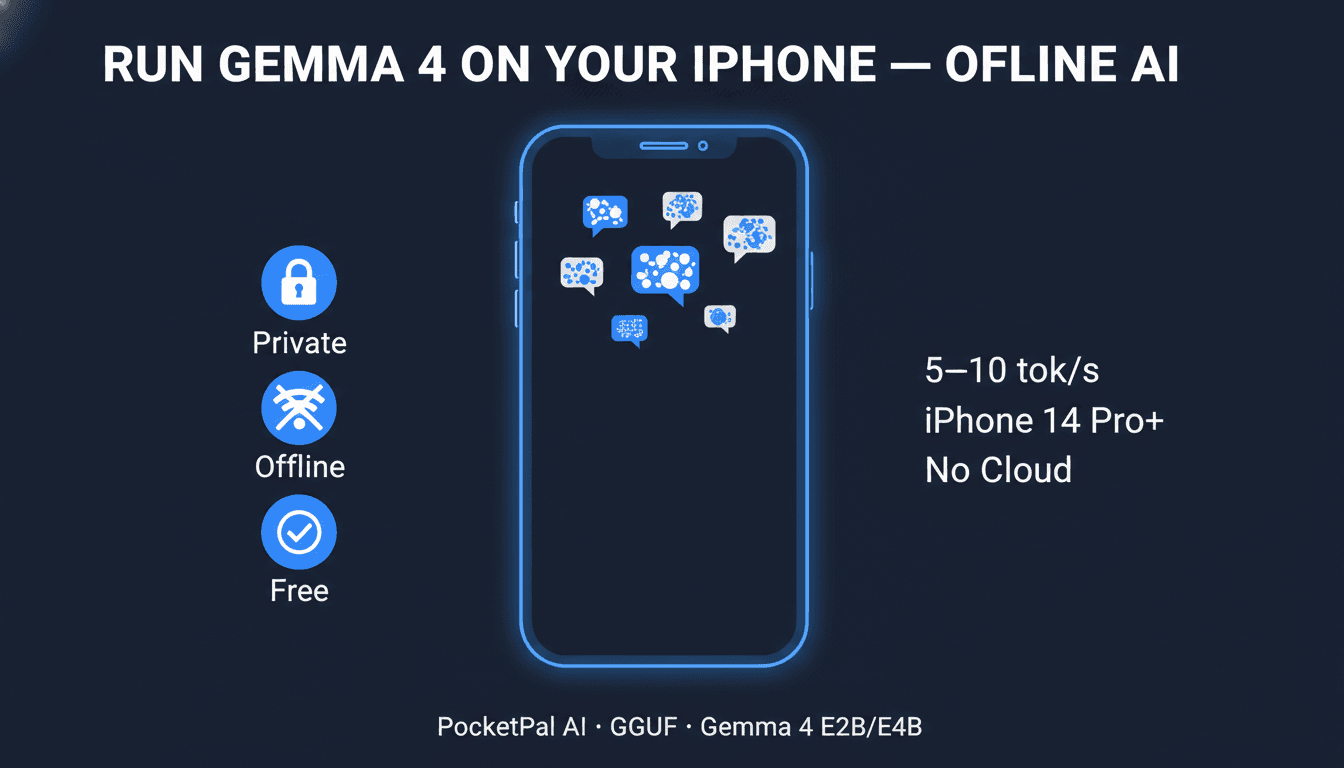
Running a full AI model on your iPhone — offline, private, no subscription, no data leaving your device — is genuinely possible now. Google's Gemma 4, released April 2, 2026, runs on iPhone 14 and newer with solid performance using a free App Store app called PocketPal AI.
This guide covers exactly what to install, how to find Gemma 4 in PocketPal (it's not in the curated list yet — you need to add it manually), and what you can realistically do with it.
Already set up Gemma 4 on a Mac or PC? This is the iPhone companion. For desktop setup, see our Gemma 4 PC/Mac guide.
What You Need
iPhone models that work well:
| iPhone | Chip | RAM | Verdict |
|---|---|---|---|
| iPhone 16 Pro / Max | A18 Pro | 8GB | Best — runs E4B comfortably |
| iPhone 15 Pro / Max | A17 Pro | 8GB | Excellent |
| iPhone 14 Pro / Max | A16 Bionic | 6GB | Good — use E4B with care (see below) |
| iPhone 14 (non-Pro) | A15 Bionic | 6GB | Works, slightly slower |
| iPhone 13 series | A15 Bionic | 4–6GB | Use E2B only |
Minimum: iPhone 12 with 6GB RAM running iOS 15.1+. Older iPhones with 4GB RAM can try Gemma 4 E2B but may need all other apps closed first.
Storage:
- Gemma 4 E2B Q4_K_M: 3.46GB download
- Gemma 4 E4B Q4_K_M: 5.41GB download
Make sure you have the storage free before starting.
Step 1: Install PocketPal AI
Search "PocketPal AI" in the App Store — it's by LLM Ventures, free, no in-app purchases. Or go direct:
App Store → PocketPal AI (open source, collects no data, works fully offline after download)
PocketPal supports GGUF-format models from Hugging Face — the same format used by LM Studio and Ollama on desktop.
Step 2: Add Gemma 4 from Hugging Face (Manual Step)
Gemma 4 is not in PocketPal's curated model list yet — it only released April 2, 2026, so the app's built-in list hasn't been updated. You need to add it manually by pointing PocketPal to the Hugging Face repo.
Here's how:
- Open PocketPal AI → tap the Models tab
- Tap the "+" button → select "Download from Hugging Face"
- In the search box, type the full repo name:
- For E2B (recommended for most iPhones):
bartowski/google_gemma-4-E2B-it-GGUF - For E4B (iPhone 15 Pro, 16 Pro with 8GB RAM):
bartowski/google_gemma-4-E4B-it-GGUF
- For E2B (recommended for most iPhones):
- From the file list, select
google_gemma-4-E2B-it-Q4_K_M.gguf(or E4B equivalent) — this is the recommended 4-bit quantization - Tap Download — the file downloads directly to your device
Once downloaded, it's fully offline. No internet required to use it.
Which Model — E2B or E4B?
Both are Gemma 4 variants using Mixture-of-Experts (MoE) architecture — they run more efficiently than their parameter count suggests. The difference is quality vs. file size.
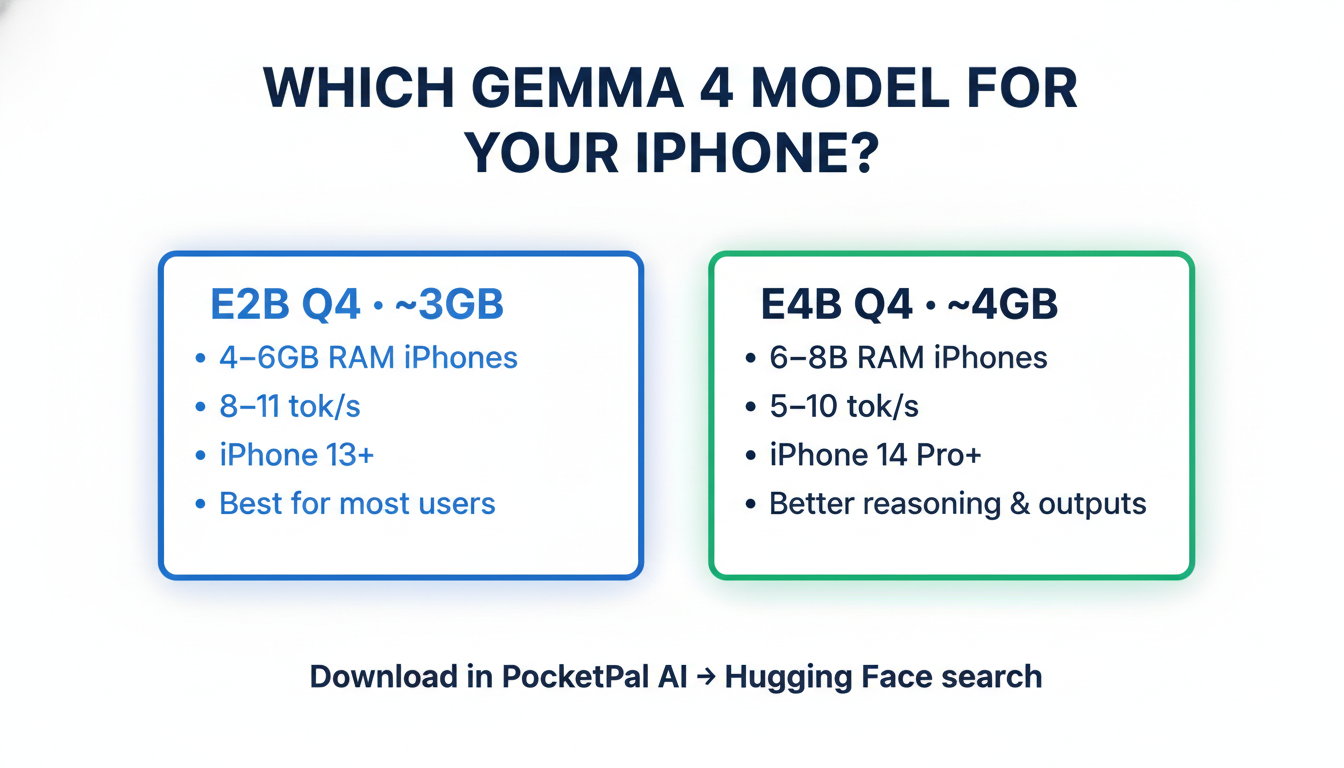
Gemma 4 E2B Q4_K_M (3.46GB):
- Works on any iPhone with 4GB+ RAM
- Faster inference, lower RAM pressure
- Good quality for most tasks — conversations, writing, code help
- Safest choice if you're not sure
Gemma 4 E4B Q4_K_M (5.41GB):
- Requires 8GB RAM iPhone (iPhone 15 Pro / Max, iPhone 16 series)
- Better reasoning quality, more nuanced outputs
- On a 6GB iPhone (iPhone 14 Pro Max), it may work but can be unstable under multitasking
- Worth it if your device handles it
iPhone 14 Pro Max users: E4B's 5.41GB file leaves less than 1GB headroom after iOS takes its share of the 6GB RAM pool. Many users report it works fine with other apps closed, but expect occasional model reloads if iOS reclaims memory.
What You Can Do With It
Offline AI Chat — Fully Private
Once downloaded, tap "Chat" in PocketPal and start a conversation. Gemma 4 handles creative writing, code questions, brainstorming, explanations — all processed on your iPhone, nothing sent to any server.
Practical uses:
- Draft emails or messages without sending text to any cloud
- Ask questions about sensitive documents by pasting the text into the chat
- Use AI in areas with no data coverage (planes, remote areas, buildings with poor signal)
- Studying, quiz generation, concept explanations
Ask About Images (Multimodal)
Tap the camera icon in the PocketPal chat to attach a photo. Gemma 4 is natively multimodal — it can describe scenes, read text in photos, identify objects, and answer questions about anything in the image. All on-device.
Code Help
Paste code into the chat and describe the issue. Gemma 4 handles Python, JavaScript, SQL, Bash, and most common languages well at this size. Useful for quick debugging without opening a laptop.
Offline Translation
Gemma 4 supports 140+ languages. Works without network — more private than Google Translate, everything stays on your device.
Real Performance on iPhone
Based on community benchmarks and r/LocalLLaMA reports:
| Device | Model | Approx. Speed |
|---|---|---|
| iPhone 16 Pro Max (A18 Pro, 8GB) | E4B Q4_K_M | ~8–10 tok/s |
| iPhone 15 Pro Max (A17 Pro, 8GB) | E4B Q4_K_M | ~7–9 tok/s |
| iPhone 14 Pro Max (A16, 6GB) | E4B Q4_K_M | ~5–7 tok/s |
| iPhone 14 Pro Max (A16, 6GB) | E2B Q4_K_M | ~8–11 tok/s |
| iPhone 13 Pro (A15, 6GB) | E2B Q4_K_M | ~5–7 tok/s |
At 5+ tokens/second the experience is fluid. Short responses feel near-instant; longer outputs (500+ tokens) take 30–90 seconds depending on device.
Tip: Close other apps before loading the model. iOS aggressively reclaims RAM from background processes, which can cause the model to reload mid-session if memory pressure gets too high.
Alternatives to PocketPal
PocketPal isn't the only option:
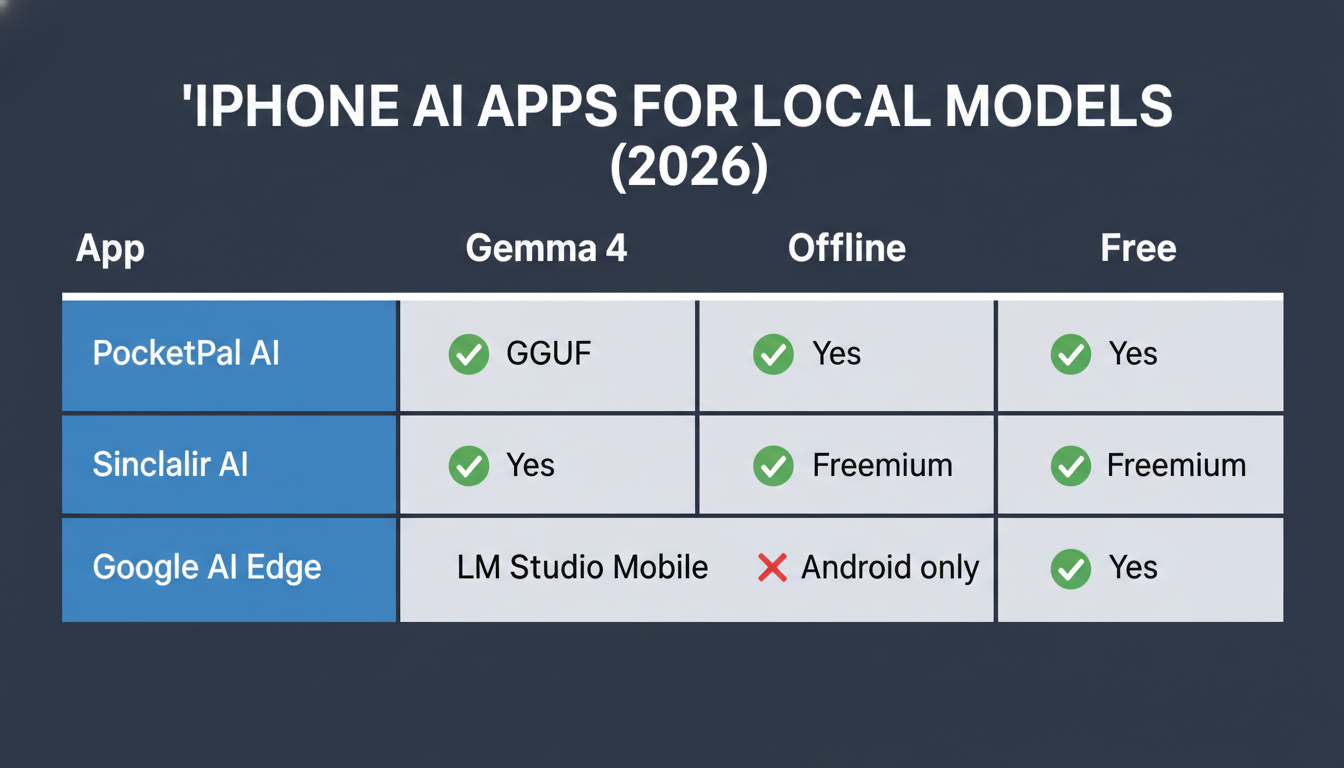
| App | Gemma 4 Support | Offline | Free | iOS |
|---|---|---|---|---|
| PocketPal AI | ✅ via HF search | ✅ Yes | ✅ Yes | iOS 15.1+ |
| Sinclair AI | ✅ Yes | ✅ Yes | Freemium | iOS 16+ |
| LM Studio (mobile) | ✅ Yes | ✅ Yes | ✅ Yes | iOS 17+ |
| Google AI Edge Gallery | ❌ Android only | ✅ Yes | ✅ Yes | Android only |
If PocketPal's manual Hugging Face search isn't working for you, try Sinclair AI — it had earlier Gemma 4 support in its curated list.
Limitations to Know
Context window is smaller on mobile. Desktop Gemma 4 has a 128K token context window. The GGUF format used on mobile is typically capped at 4K–8K tokens due to RAM constraints. Long document analysis doesn't work the same way as on desktop.
No background processing. The model only runs when the app is in the foreground. Switching apps pauses inference.
RAM pressure is real. iOS can offload the model during heavy multitasking. If responses stop or the model "resets", force-quit and reopen PocketPal.
E4B on 6GB RAM iPhones: Works, but is unstable under multitasking. Use E2B for a more stable experience.
Key Takeaways
- App: PocketPal AI — free, open source, no data collection. Available on App Store.
- Finding the model: Not in curated list yet — add manually via Hugging Face search inside PocketPal
- E2B: search
bartowski/google_gemma-4-E2B-it-GGUF→ downloadQ4_K_M(3.46GB) - E4B: search
bartowski/google_gemma-4-E4B-it-GGUF→ downloadQ4_K_M(5.41GB)
- E2B: search
- Which to pick: E2B for most iPhones; E4B only if you have iPhone 15 Pro / 16 series (8GB RAM)
- Speed: 5–10 tok/s depending on device
- Best for: Private offline chat, image Q&A, code help, translation — no cloud, no subscription
- Limits: ~4–8K context on mobile; foreground-only; RAM-sensitive
- Can't find it in PocketPal? Try Sinclair AI as an alternative
For the full Gemma 4 experience — 128K context, video input, agentic tool calling, and the larger 26B or 31B models — see the desktop setup guide.

Alex the Engineer
•Founder & AI ArchitectSenior software engineer turned AI Agency owner. I build massive, scalable AI workflows and share the exact blueprints, financial models, and code I use to generate automated revenue in 2026.
Related Articles
How to Start an AI-Assisted Resume Writing Side Hustle in 2026 (Beginner's Guide)
A step-by-step guide to using AI resume tools to offer a paid resume and cover letter writing service — what to charge, which tools to use, and how to find your first clients.
How to Build and Sell AI Voice Receptionists to Local Businesses in 2026
A beginner's guide to building AI voice agents that answer business phone calls — the tools to use, what to charge, and how to find your first client.

How to Make Money on Fiverr with AI Tools in 2026: 7 Gigs You Can Start This Week
Discover 7 real Fiverr gigs you can launch using free and low-cost AI tools in 2026 — no experience required. Real pricing data, step-by-step setup, and tools that actually work.