
n8n MCP Integration: Let AI Build Your Automations (2026 Guide)
n8n now supports MCP natively. Here's what changed, how to set it up in 10 minutes, and why it matters for AI automation builders.
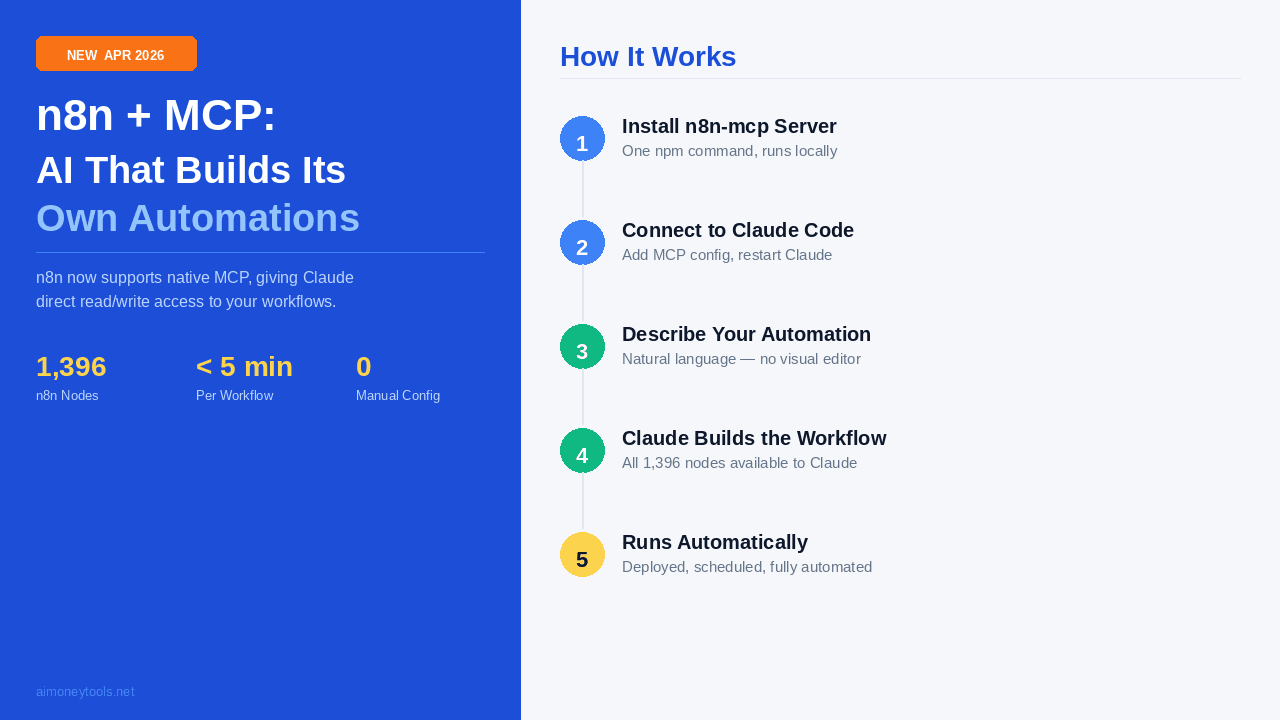
The barrier between "thinking" and "doing" in AI automation just collapsed. With the release of native Model Context Protocol (MCP) support, n8n has shifted from a tool you use to a tool AI uses.
Previously, even with advanced LLMs, you had to manually drag, drop, and configure nodes in the n8n canvas. Now, the LLM treats the n8n environment as a native workspace. It doesn't just suggest ideas; it writes, edits, and executes workflows directly.
What Is n8n MCP Support?
MCP is an open standard that allows AI models to access data and tools across different platforms seamlessly. By integrating MCP natively, n8n provides a standardized "handshake" between Large Language Models (LLMs)—specifically Anthropic’s Claude—and its massive library of automation nodes.
This integration grants Claude full access to n8n’s ecosystem, which currently boasts 1,396 nodes (812 core nodes and 584 community nodes). Rather than providing a static API, n8n exposes its internal workflow engine to the model.
The AI can now read existing workflows to understand your logic and write new workflows from scratch. This means the model has a "peripheral vision" of your entire automation stack, allowing it to debug errors or expand features without you touching the UI.
How to Set Up n8n with MCP
Setting up the n8n MCP integration takes about ten minutes. You will need a self-hosted n8n instance or an n8n Cloud account, along with Claude Code or the Claude Desktop app.
New to the terminal? The steps below use the command line (running npm and editing config files). If you've never opened a terminal before, our Terminal for Absolute Beginners guide covers everything you need — it takes about 10 minutes to read and will make this setup much easier.
Step 1: Install the n8n-mcp Server
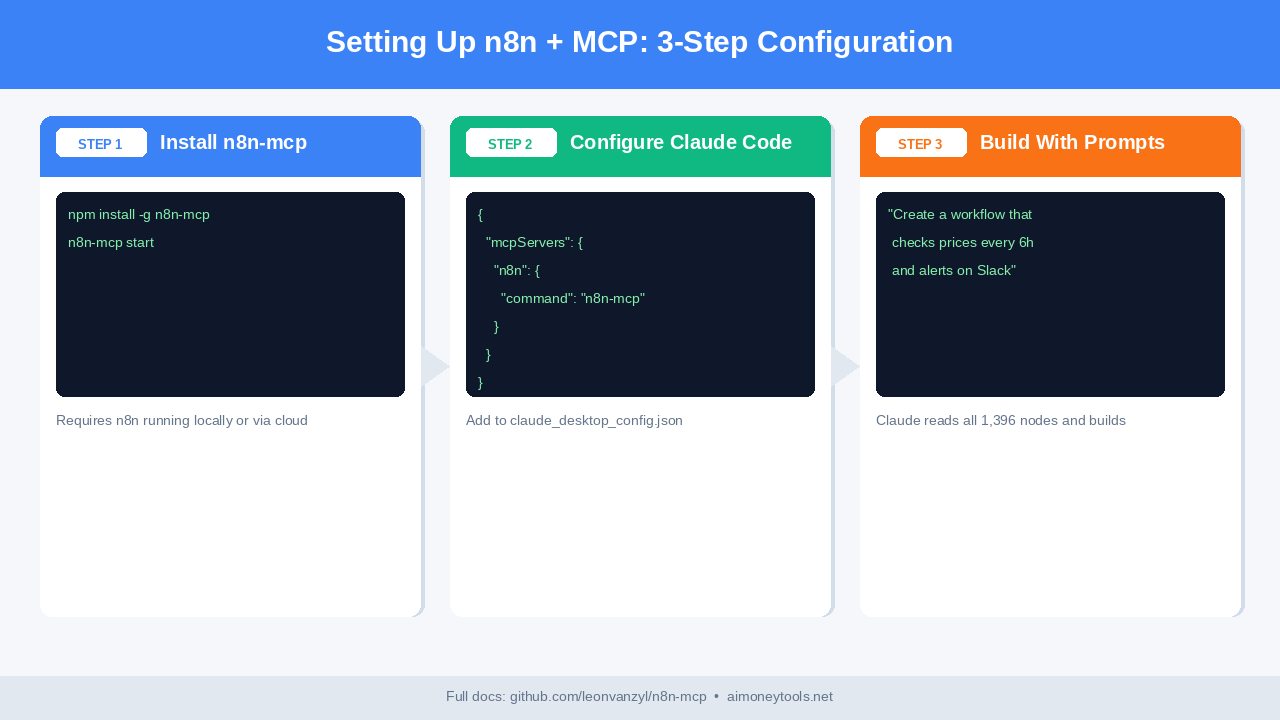
The connection is handled via a dedicated MCP server. Open your terminal and install the package globally using npm:
npm install -g @n8n/mcp-server
Step 2: Configure Your API Key
You must generate an API key from your n8n dashboard. Navigate to Settings > Public API and create a new key. Export this to your environment or keep it ready for the configuration file.
Step 3: Link to Claude Code
If you are using Claude Code, you can initialize the server directly. Add the following block to your MCP configuration file (usually found at ~/Library/Application Support/Claude/claude_desktop_config.json on macOS):
{
  "mcpServers": {
    "n8n": {
      "command": "npx",
      "args": ["-y", "@n8n/mcp-server"],
      "env": {
        "N8N_API_KEY": "your_api_key_here",
        "N8N_BASE_URL": "https://your-instance.n8n.cloud"
      }
    }
  }
}
Step 4: Verify the Connection
Restart your Claude interface. Ask Claude, "What n8n nodes do I have access to?" If the setup is correct, Claude will list the available resources and confirm it can see your active workflows.
No Terminal? Use the Cloud Setup (Beginner-Friendly)
If the steps above look intimidating, there's a fully no-code path that skips the terminal entirely.
What you need: An n8n Cloud account + Claude Desktop app. No npm, no JSON files, no command line.
Step 1: Create an n8n Cloud Account
Go to n8n.io/pricing and sign up for a Cloud account. The Starter plan is free to try. You get a hosted n8n instance — no server, no installation.
Step 2: Get Your API Key from the n8n Dashboard
In your n8n Cloud dashboard, navigate to Settings → Public API → Create API Key. Copy the key — you'll need it in Step 4.
Step 3: Install Claude Desktop
Download the Claude Desktop app from Anthropic (available for Mac and Windows). This is a GUI app — no terminal needed.
Step 4: Add the n8n MCP Server via Claude Desktop Settings
Open Claude Desktop. Go to Settings → Developer → MCP Servers and click Edit Config (this opens the config file in your default text editor, or you can use the GUI if available in your version). Add:
{
  "mcpServers": {
    "n8n": {
      "command": "npx",
      "args": ["-y", "@n8n/mcp-server"],
      "env": {
        "N8N_API_KEY": "paste-your-key-here",
        "N8N_BASE_URL": "https://your-instance.app.n8n.cloud"
      }
    }
  }
}
Your N8N_BASE_URL is the URL of your n8n Cloud instance (shown in your browser when you log in).
Note on Node.js: The
npxcommand still requires Node.js to be installed on your machine. If you don't have it, download the installer from nodejs.org — it's a standard next-next-finish install with no terminal needed. Once Node is installed, thenpxcommand runs automatically from Claude Desktop without you opening a terminal manually.
Step 5: Restart Claude Desktop
Close and reopen Claude Desktop. Ask it: "What n8n nodes do I have access to?" — if the setup worked, it will list available integrations.
That's it. You now have the full n8n MCP integration without ever typing a command.
Before vs After: A Real Example
To understand the impact of this integration, consider a common business task: Competitor Pricing Monitoring.
The Manual Way (Before MCP)
Previously, building a monitoring system required significant manual effort. You had to:
- Create a "Schedule" trigger node.
- Configure an "HTTP Request" node to scrape the competitor's site.
- Write a "HTML Extract" node with specific CSS selectors.
- Set up a "Compare" node to check for price drops.
- Link a "Slack" node to send the alert.
- Test and debug each connection individually.
This process typically took 30 to 45 minutes, even for an experienced n8n user. If the website's CSS changed, you had to go back into the dashboard and fix it manually.
The MCP Way (After MCP)
With the MCP integration, you simply provide a natural language prompt to Claude: "Monitor the pricing page at competitor-x.com every 6 hours. If the price for 'Pro Plan' changes, send a Slack alert to the #marketing channel with the old and new price."
Claude analyzes the 1,396 available nodes, selects the HTTP and Slack components, writes the JSON for the workflow, and pushes it to your n8n instance.
The entire setup takes 3 to 5 minutes. Because the AI understands the node structure, it handles the data mapping between the scraper and Slack automatically.
What You Can Actually Build
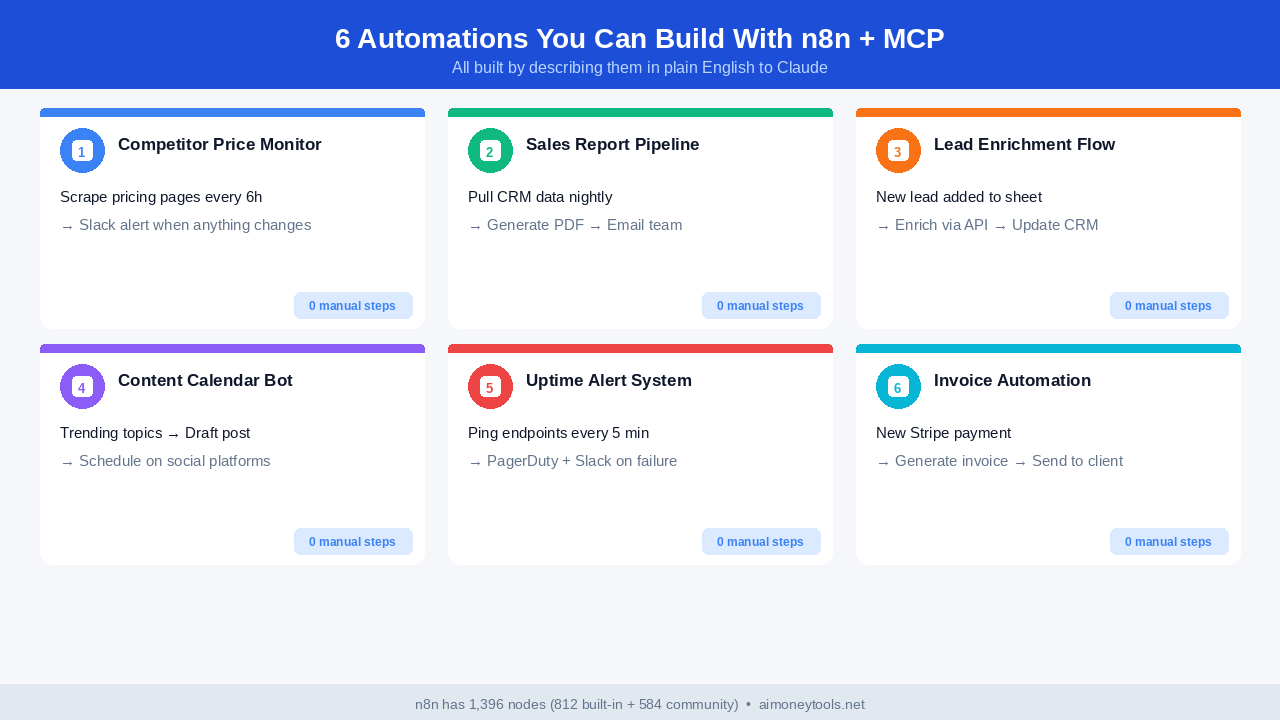
The ability for AI to design its own pipelines opens up several practical use cases that were previously too complex to maintain.
1. Dynamic Lead Enrichment
When a new lead enters your CRM, Claude can build a temporary workflow to fetch their LinkedIn profile, summarize their recent posts, and draft a personalized email in your "Drafts" folder.
2. Multi-Step Financial Reporting
You can ask the AI to "Aggregate all Stripe transactions from the last 24 hours, convert them to EUR using current exchange rates, and update the master spreadsheet." The AI handles the math nodes and the API authentication logic.
3. Automated Error Recovery
If an existing workflow fails, Claude can read the execution logs via MCP, identify the broken node, and deploy a "patch" workflow to handle the edge case that caused the failure.
4. Content Distribution Engines
Tell the AI: "When I upload a video to YouTube, transcribe it using OpenAI Whisper, turn the transcript into three LinkedIn posts, and schedule them for next week." Claude builds the entire multi-branch logic for you.
5. Custom Slack Commands
Create a system where a Slack command like /analyze-site [URL] triggers Claude to build a custom n8n workflow on the fly that runs an SEO audit and posts the results back to the thread.
The Bigger Picture: Self-Building Systems
This integration represents a fundamental shift in how we think about "AI Agents." Until now, agents were limited to the tools developers gave them. If an agent needed to send a message via a specific CRM that wasn't integrated, it was stuck.
With n8n's MCP support, the agent is no longer a passive user of tools. It is an architect. If an agent realizes it lacks a specific capability, it can build that capability by assembling n8n nodes.
This moves us toward "Self-Building Systems." You don't build the automation; you describe the desired outcome. The AI assesses the 1,396 available nodes, creates the logic, and executes it. This reduces the technical debt of maintaining hundreds of manual workflows, as the AI can update them as soon as requirements change.
Key Takeaways
- Zero-UI Building: You can create complex, multi-step n8n workflows through a chat interface without ever opening the n8n canvas.
- Total Node Access: Claude has full programmatic access to all 1,396 n8n nodes, including both core and community-contributed integrations.
- Bidirectional Control: The integration allows Claude to both read existing workflows (for debugging/optimization) and write new ones (for creation).
- Massive Time Savings: Tasks that previously required 45 minutes of manual configuration are now completed in under 5 minutes using natural language.
- Agentic Evolution: AI agents can now autonomously expand their own feature sets by designing and deploying their own automation pipelines.

Alex the Engineer
•Founder & AI ArchitectSenior software engineer turned AI Agency owner. I build massive, scalable AI workflows and share the exact blueprints, financial models, and code I use to generate automated revenue in 2026.
Related Articles
Best AI Tools for YouTube Automation in 2026 (That Actually Make Money)
The exact stack of AI tools behind every profitable faceless YouTube channel in 2026 — from script to upload — with real revenue math.
How to Master AI Engineering in 30 Days (2026 Roadmap)
The exact 30-day path from zero to building real AI products — RAG chatbots, agents, production systems. No fluff, no filler. Just what works in 2026.