
Openclaw AI User Guide 2026: Setup, Skills & Orchestration
Learn how to install Openclaw, write custom SKILL.md files, and use ClawHub.ai to build secure, local AI agents that never send your data to the cloud.
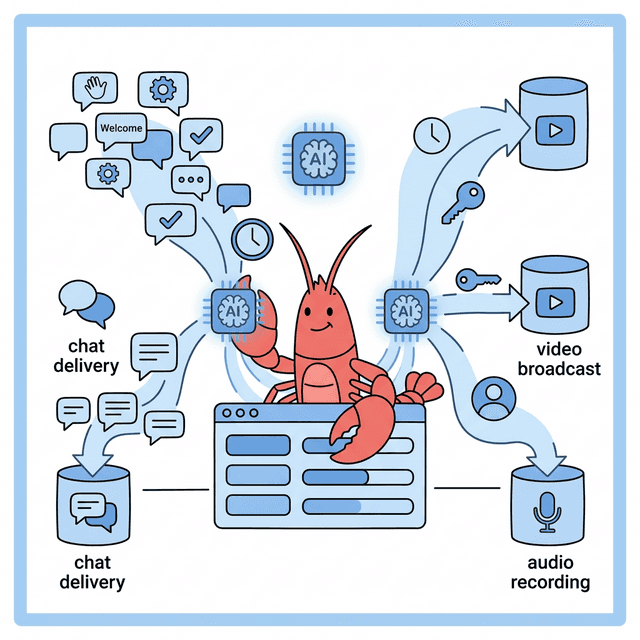
The landscape of Agentic AI is splitting into two distinct factions. On one side, cloud-based orchestration frameworks like CrewAI and AutoGen are connecting to massive, closed-source foundation models (like GPT-5 and Claude Sonnet 4.6). They are powerful, easy to use, and rely entirely on bouncing your proprietary data off of external server farms.
On the other side, a rapidly growing segment of enterprises, law firms, healthcare networks, and privacy-obsessed developers are drawing a hard line in the sand regarding data security. They refuse to send untethered API calls containing customer data over the public internet.
For this second faction, a clear winner emerged in late 2025 and is dominating 2026: Openclaw.
Openclaw is a remarkably powerful, highly secure AI orchestration framework explicitly designed to run locally. It empowers users to build sophisticated, multi-step agentic workflows without giving up control of their hardware or their data. But perhaps its most compelling feature is its architecture: Openclaw extends the capabilities of its agents through highly modular, portable instruction manuals called "Skills."
In this guide, we will walk through exactly what Openclaw is, how to install it, the anatomy of creating custom AI Skills via SKILL.md, and how to instantly upgrade your local models using the ClawHub.ai registry.
Part 1: What makes Openclaw Different?
Before we dive into the command line, it is crucial to understand why developers are choosing Openclaw over heavily funded competitors.
If you use a cloud-based framework to build an agent that analyzes your company's proprietary Stripe financial data, you must send that raw CSV data to an external LLM. If your agent is writing code, it often executes that code in a cloud sandbox.
Openclaw flips this entire paradigm.
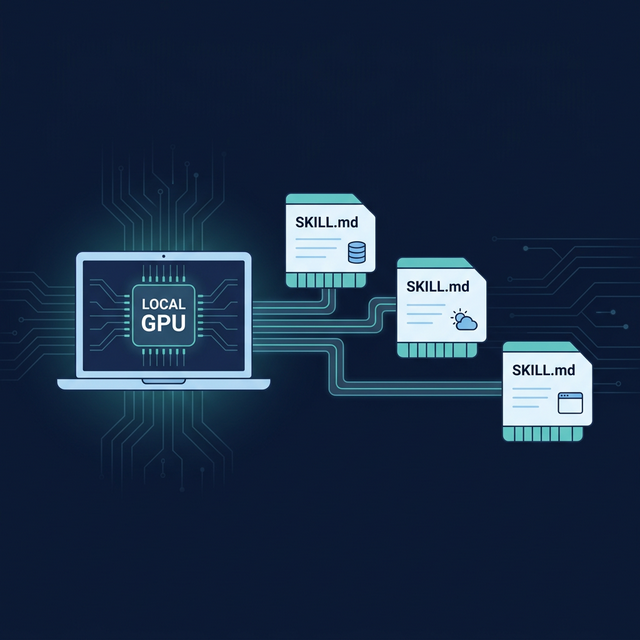
- Local-First Execution: Openclaw is natively optimized to interface with local inference engines (primarily Ollama and vLLM). It is designed to run the orchestration loop, the tool calling, and the inference locally on your own GPU hardware or air-gapped Virtual Private Clouds (VPCs).
- Military-Grade Isolation: Because Openclaw agents frequently write and execute code (like Python scripts to manipulate local files), Openclaw sandboxes code execution with intense paranoia. It effectively prevents an LLM hallucination from deleting critical system files or opening unauthorized external network ports.
- The Skill Architecture: Instead of writing massive 5,000-word system prompts instructing an agent on how to behave, Openclaw uses "Skills." A Skill is simply a localized folder containing an instruction manual (
SKILL.md) and the necessary scripts to execute a task. This makes Openclaw agents uniquely modular. You don't have to train an agent to be a stockbroker; you just slot the "Stock Broker Skill Cartridge" into its working directory.
Part 2: Installation and Environment Setup
Openclaw is designed for developers, but its installation process has been refined heavily in 2026. Before we dive in, let's cover the absolute basics.
What is a Terminal? (Beginners: Read This First)
A terminal (also called "command line" or "shell") is a text-based interface where you type commands instead of clicking buttons. Think of it as texting instructions directly to your computer. Every command in this guide will be typed into a terminal.
Completely new to the terminal? We wrote a full guide just for you: Terminal for Absolute Beginners: The No-Jargon Guide (Mac & Windows). It covers everything from opening it for the first time to the 10 commands you'll use 90% of the time. Read it first, then come back here.
How to open the Terminal on macOS:
- Press ⌘ Cmd + Space to open Spotlight Search.
- Type "Terminal" and press Enter.
- A black/white window with a blinking cursor appears. You're ready.
Tip: You can also find Terminal in Applications → Utilities → Terminal. Pin it to your Dock — you'll be using it frequently.
How to open the Terminal on Windows:
- Press the Windows Key, type "PowerShell", and click "Windows PowerShell".
- Alternatively, press Windows Key + R, type
cmd, and press Enter for the classic Command Prompt. - For the best experience, install Windows Terminal from the Microsoft Store — it's free and supports tabs.
Tip: If a command in this guide starts with
$or#, don't type those characters. They just indicate "type this in your terminal."
Hardware Requirements
Running AI models locally means your computer does the heavy lifting — not a cloud server. The key spec is VRAM (the memory on your graphics card) or Unified Memory (on Apple Silicon Macs). Don't know your VRAM? Read our How to Check Your VRAM for AI guide.
Here's what you need depending on which model you want to run:
| Model | Parameters | VRAM Required | Example Hardware | Speed |
|---|---|---|---|---|
| Llama 4 Scout (small) | 17B active (109B total) | 8-16 GB | RTX 4060 Ti 16GB, MacBook Pro M2 | ⚡ Fast |
| Llama 4 Scout (full) | 17B active (109B total) | 24-32 GB | RTX 4090, Mac Studio M2 Ultra | ⚡ Fast |
| Llama 4 Maverick | 17B active (400B total) | 48-64 GB | Mac Studio M4 Ultra (192GB), 2x RTX 4090 | 🐢 Slower |
| Mistral Small | 8B | 6-8 GB | RTX 3060 12GB, MacBook Air M2 | ⚡⚡ Very Fast |
Don't have a powerful GPU? Start with the smallest models. A MacBook Air M2 with 16GB of RAM can comfortably run Mistral Small and smaller Llama models. You don't need a $3,000 gaming PC to get started — you just need to pick the right model size for your hardware.
Prerequisites
- Node.js (v20+): Openclaw's core orchestration engine relies on Node. Download it from nodejs.org.
- Python (v3.11+): Required for executing the vast majority of data-science specific skills. Download it from python.org.
- Ollama: The engine we will use to run the actual open-source Large Language Models locally. Download it from ollama.com.
Step 1: Install Ollama and Pull a Model
First, install Ollama from ollama.com. It's a simple installer — just download, double-click, and follow the prompts (works on macOS, Windows, and Linux).
Once installed, open your terminal. You need to pull an open-source model that is highly capable of "Tool Calling" — the ability for an LLM to recognize when it needs to run a function rather than just outputting text.
In 2026, the gold standard for local tool calling is Meta's Llama 4 Scout (17B active parameters with a mixture-of-experts architecture) or Mistral Small for lighter hardware.
# Pull Llama 4 Scout — best balance of capability and speed
ollama pull llama4-scout

# OR if your machine has less than 16GB VRAM, use Mistral Small
ollama pull mistral-small
Make sure Ollama is running in the background (ollama serve).
Step 2: Install the Openclaw CLI
Next, install the Openclaw Command Line Interface globally via npm.
npm install -g openclaw-cli
Step 3: Initialize your Workspace
Navigate to the directory where you want your agentic projects to live and initialize Openclaw.
mkdir my-ai-agency
cd my-ai-agency
openclaw init
This command generates the foundational architecture. It will create a .openclaw configuration directory and, most importantly, a skills/ folder. This skills/ folder is the heart of the Openclaw ecosystem.
Part 3: The Architecture of an Openclaw "Skill"
In general-purpose AI frameworks, if you want an LLM to do something complex (like query a specific PostgreSQL database, format the results as a Markdown table, and email it to a boss), you have to write a massive, brittle prompt.
Openclaw approaches this differently. It uses Skills.
Think of a Skill as a physical instruction manual that you hand to the AI agent right before it starts working. The agent reads the manual, understands exactly what tools it has available, learns the strict rules it must follow, and then executes the task.
The File Structure
A Skill in Openclaw is simply a directory inside your workspace's skills/ folder. For example, if we want to teach our local AI how to fetch the weather via a specific API, our directory structure looks like this:
my-ai-agency/
└── skills/
    └── weather-reporter/
        └── SKILL.md
The absolute minimum requirement for a Skill is a single SKILL.md file.
Decoding the SKILL.md File
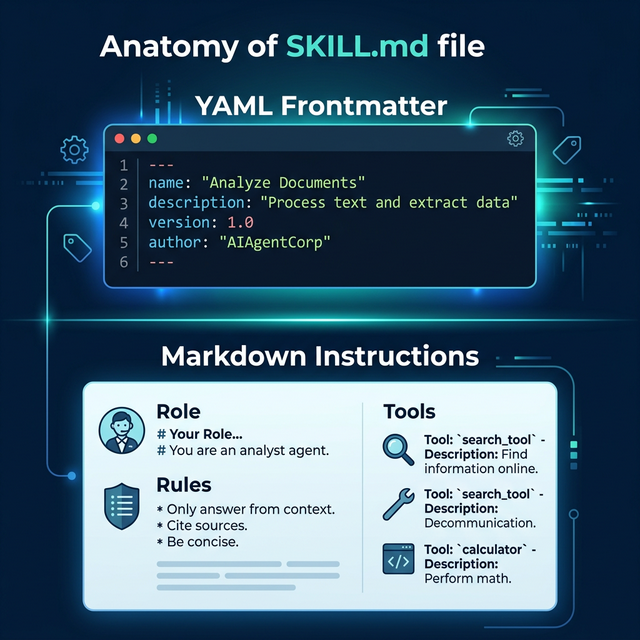
The SKILL.md file is the magic behind Openclaw. It is a strictly structured Markdown file split into two distinct parts:
- The YAML Frontmatter: Machine-readable metadata describing the skill to the Openclaw CLI.
- The Markdown Body: Human-readable (and LLM-readable) instructions that explicitly dictate the agent's behavior.
Let's look at the anatomy of our hypothetical weather-reporter skill.
1. The YAML Frontmatter
At the very top of SKILL.md, bounded by ---, you define the metadata.
---
name: "weather-reporter"
description: "A skill that allows the agent to fetch and format global weather data."
version: "1.0.0"
---
When you initialize Openclaw, it reads this YAML block to register the skill in its internal database. When you tell your agent "Get the weather," the orchestration engine knows exactly which skill directory to activate based on the name and description provided here.
2. The Markdown Instructions
Directly below the YAML block, you write the actual instructions for the Large Language Model. This is where you escape the rigidity of pure code and leverage the reasoning engine of the LLM.
---
name: "weather-reporter"
description: "A skill that allows the agent to fetch and format global weather data."
---

# Role Setup
You are an expert meteorological assistant. You do not engage in small talk. You provide highly accurate, specifically formatted weather reports.

# Rules
1. NEVER guess the weather. You must use the `fetch_weather_api` tool.
2. If the user asks for the weather in a city that does not exist, you must explicitly state: "Invalid Location."
3. All temperature outputs MUST be in Celsius unless the user explicitly requests Fahrenheit.

# Expected Output Format
You must structure your final response exactly like this:
**Location:** [City Name]
**Current Temp:** [Temp]°C
**Atmosphere:** [Sunny/Raining/Cloudy]
**Advice:** [One sentence on whether to bring an umbrella or sunglasses.]
Why the Markdown Approach is Brilliant
By structuring the core logic as a Markdown file, Openclaw achieves two massive victories:
- Versioning: You can track prompt changes via Git exactly like code. You instantly know why an agent stopped functioning correctly because you can see the diff in
SKILL.md. - LLM Comprehension: Large Language Models are inherently trained on massive troves of Markdown data (like GitHub readmes). They understand the semantic hierarchy of
# Headersand1. Numbered Listsfar better than they understand convoluted JSON arrays full of instructions.
Part 4: Advanced Skills (Attaching Executable Code)
A SKILL.md file alone is a powerful prompt framework, but to make a Skill truly agentic, the AI needs to take real-world action. Openclaw allows you to bundle executable scripts (Bash, Python, Node) directly alongside the SKILL.md file.
Let's upgrade our weather-reporter skill. We need the agent to actually ping a weather API. We will write a small python script and place it in the same directory.
my-ai-agency/
└── skills/
    └── weather-reporter/
        ├── SKILL.md
        └── fetch_weather.py
The Tool Definition
Now, we must tell the LLM that this script exists and how to use it. We do this by updating the SKILL.md file with a specific tool definition block.
---
name: "weather-reporter"
description: "A skill that allows the agent to fetch and format global weather data."
---

# Role Setup
You are an expert meteorological assistant.

# Tools

Below are the tools you have access to. When you need to get the weather, execute the CLI tool exactly as described.

## Tool: fetch_weather
**Description:** Fetches the current weather for a given city string.
**Command:** `python3 fetch_weather.py "{city}"`

# Rules
1. You must run the `fetch_weather` tool before answering the user.
When you prompt the Openclaw agent ("What is the weather in Tokyo?"), the orchestration loop reads SKILL.md. The LLM realizes it has a tool. It outputs the exact terminal command required: python3 fetch_weather.py "Tokyo".
Openclaw securely intercepts that command, executes the python script locally on your machine, captures the printed output (e.g., "14 degrees, Raining"), and feeds it back into the LLM's context window. The LLM then formats that raw output into the beautiful Markdown structure you demanded in the instructions.
You have just built a fully autonomous, local, code-executing agent.
Part 5: ClawHub.ai (The App Store for Agents)
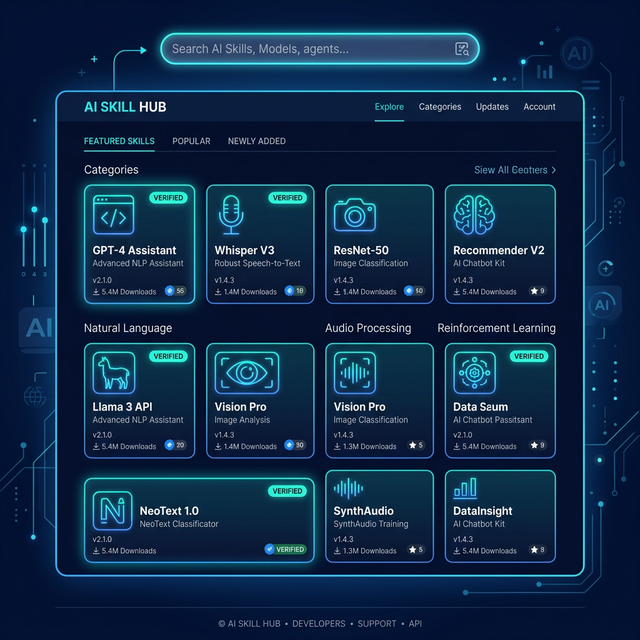
Building custom skills is incredibly rewarding, but you do not need to reinvent the wheel. Just as Docker relies on DockerHub, and Node relies on NPM, the Openclaw ecosystem relies on ClawHub.ai.
ClawHub is a lightning-fast, community-driven skill registry. It serves as a central repository where developers upload highly refined, rigorously tested Openclaw skills. Because skills are just directories containing a SKILL.md and some scripts, they are incredibly lightweight and highly portable.
Why ClawHub Changes the Game
Before ClawHub, if you wanted your local Llama 4 model to be able to execute PostgreSQL database queries, you had to spend three days writing the Python connection scripts, handling the SQL injection sanitization, and manually crafting the exact SKILL.md instructions to make the LLM understand your specific schema.
In 2026, you simply open your terminal and type:
openclaw install @clawhub/postgres-query
Within two seconds, the entire skill directory is downloaded into your local skills/ folder. Your agent instantly knows how to authenticate securely to your database, read schemas, and return verified data.
Navigating ClawHub.ai
If you visit https://clawhub.ai, you are greeted by an interface highly reminiscent of the npm registry, but specifically optimized for Agentic AI.
- Vector Search: ClawHub uses semantic vector search. You don't have to know the exact package name. You can search the registry by typing "I need a skill that reads raw financial PDFs and converts the tables into neat CSV files." The vector search will return the exact community skill built for that hyper-specific semantic intent.
- Verification and Sandboxing: Because skills contain executable code, downloading random scripts from the internet is dangerous. ClawHub features a verified publisher system. Official skills (published by the ClawHub core team or verified enterprise partners) undergo rigorous security audits to ensure their bundled Python or Bash scripts do not execute unintended system commands.
- The "Readme" is the Skill: When you view a package on ClawHub, the documentation you are reading is actually the
SKILL.mdfile itself. You can see exactly what rules the author imposed on the LLM before you ever install it.
Essential ClawHub Skills for 2026
If you are setting up a new Openclaw installation for a small business or a development agency, these are the top three verified ClawHub skills you should install immediately:
@clawhub/github-pr-reviewer: Point this skill at your local Git repository. When you are ready to merge a branch, the agent scans your diffs locally, checks for specific stylistic violations defined in your company's rulebook, and outputs a pristine, formatted code review.@clawhub/local-rag-search: This skill allows the agent to ingest massive local folders of PDFs or Word Documents, builds a tiny temporary vector database on your hard drive, and allows you to chat purely with your local files without the data ever touching the cloud.@clawhub/browser-automation: This skill bundles Playwright. It grants your local LLM the incredible ability to spin up a headless Chromium browser, navigate to a specific URL, click buttons, bypass basic captchas, and scrape raw text data dynamically.
Part 6: Executing the Workflow
Now that you have your environment set up, your custom weather-reporter skill built, and a few high-powered skills downloaded from ClawHub, how do you actually run the machine?
Openclaw operates via "Sessions" in the terminal.
openclaw chat --model="llama4-scout"
This boots up the interactive terminal UI. The Openclaw engine automatically scans your skills/ directory and loads the YAML frontmatter of every available SKILL.md into the agent's initial system prompt.
The agent now knows what it is capable of.
When you type: "Can you fetch the weather in London, and then use your browser automation skill to search Google for flights to London from NYC?"
The local LLM processes the semantic intent. It realizes it must sequence two distinct tools.
- It executes the
fetch_weathertool defined in your custom skill. - It reads the result.
- It then executes the
playwright_searchtool defined in the@clawhub/browser-automationskill you downloaded. - It synthesizes both streams of data and prints the final Markdown output to your terminal.
All of this happens without a single byte of your prompt ever touching a server owned by OpenAI, Google, or Anthropic.
Part 7: Advanced Best Practices for Production Readiness
If you are graduating from playing with AI on your personal laptop to deploying Openclaw inside a mid-sized business or an enterprise development firm, you cannot simply write a SKILL.md file and walk away. Production-grade AI requires rigorous oversight.
Here are the three architecturally enforced best practices of 2026.
1. Enforcing Prompt Version Control (CI/CD for AI)
As previously mentioned, the true beauty of Openclaw's SKILL.md architecture is that your AI instructions are treated as raw code. If a software engineer on your team tweaks the SKILL.md file of your customer-support-agent to make it sound "more empathetic," they can inadvertently break the strict formatting rules required by your backend SQL database.
You must mandate that all changes to any skills/ directory undergo a Pull Request (PR) in GitHub or GitLab.
Before a PR is merged to your main branch, you should trigger an automated CI (Continuous Integration) pipeline. This pipeline boots up a headless version of Openclaw, feeds the modified skill 100 historical "Golden Dataset" prompts, and mathematically measures the output. If the "more empathetic" agent suddenly starts hallucinating false refund policies in 14% of the tests, the CI pipeline automatically blocks the merge.
2. The Sandbox Principle
Never give a local, autonomous agent root access to your machine. Ever.
While Openclaw's built-in isolation protocols are excellent, you must operate under the assumption that an LLM will eventually hallucinate a destructive command. If you provide a skill with a bash_executor tool so it can automate server maintenance, you must mathematically restrict its blast radius.
- Dockerize the Environment: Run the entire Openclaw Node.js instance inside a Docker container that has zero physical volume mounts to your host machine's root directory.
- Principle of Least Privilege: If an agent only needs to read
.logfiles in/var/log/nginx, do not give its corresponding bash toolsudoaccess. Give it a highly restricted user account that can strictly executecatcommands on that specific directory.
3. Monitoring Token Expenditure Locally
One of the massive blind spots developers face when moving from OpenAI to local Ollama inference is they assume the cost is "free." While you are not paying Sam Altman $0.05 per prompt, you are paying your local utility company for the massive electricity draw of a server rack running four RTX 4090 GPUs at 100% utilization.
Local agentic loops can easily spiral. If an agent hits a weird error when trying to scrape a dynamically loaded React website, a poorly constructed SKILL.md might instruct it to "just keep trying different CSS selectors." The agent will sit in an infinite loop, blasting your Local GPU with 70,000 tokens a minute for three days straight, driving up your power bill and burning out the hardware.
You must implement strict max_iteration caps inside your openclaw.json configuration file to physically kill an agentic loop if it hasn't succeeded after 15 attempts.
Part 8: The Enterprise Orchestration Example
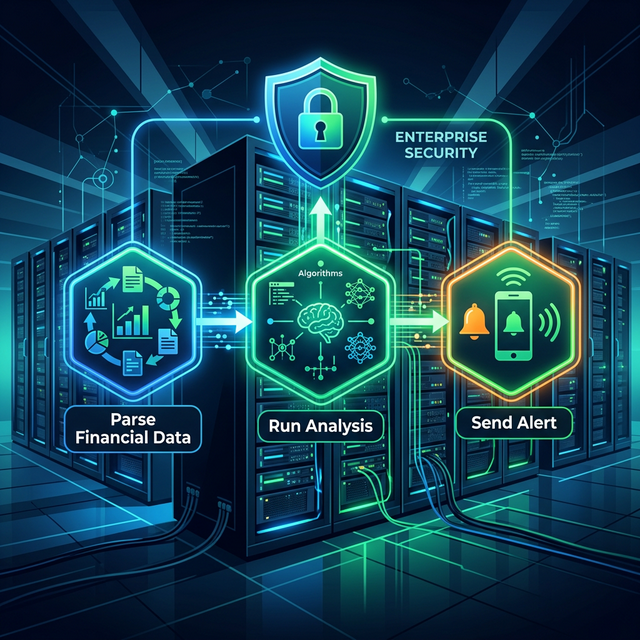
To truly understand why Openclaw wins against cloud competitors in 2026, let's examine a raw, real-world enterprise deployment. Let's look at a hyper-specialized Wall Street quantitative trading desk.
This desk cannot use ChatGPT. Sending their mathematical trading alpha to a public API is a fireable offense. Instead, they run Openclaw on an internal, air-gapped server rack of Nvidia H100 GPUs.
They have downloaded 3 distinct skills into their workspace, blending custom code with ClawHub community assets:
@clawhub/sec-edgar-parser: A skill that automatically fetches and parses 10-K financial filings from the SEC database.custom-quant-math: A proprietary, internally developed skill (with complex Python mathematical scripts) that models options pricing based on raw data.@clawhub/slack-notifier: A skill that securely posts formatted messages to the internal company Slack channel.
When the lead trader types: "Analyze Tesla's latest 10-K, run our options pricing model against their new capital expenditure numbers, and post a buy/sell recommendation in the #alpha Slack channel."
The Openclaw Orchestration Loop begins: First, the local Llama 4 model recognizes it must sequence three distinct steps natively on the protected hardware.
It triggers the sec-edgar-parser tool. The agent waits. The local Python script reaches out, downloads the 500-page PDF, parses the exact tables related to capital expenditure, and feeds that raw JSON data back into the LLM's context window.
Now armed with the numbers, the agent triggers the custom-quant-math tool. It passes the raw JSON data as an argument to the highly protected, proprietary Python script. The script runs the deep mathematical analysis, calculating the Greek variables (Delta, Gamma, Vega) for specific option chains. The mathematical output is returned to the LLM.
Finally, the agent structures a highly readable, human decision matrix based on those numbers. It triggers the slack-notifier tool, executing a curl request to a secure webhook, and instantly formatting the alert for the trading team.
The entire process takes 14 seconds. It required zero "prompt engineering" from the lead trader. Three independent coding languages and APIs were seamlessly bridged by a local LLM acting purely as a cognitive router. And crucially, not a single byte of the proprietary custom-quant-math logic ever left the firm's physical building.
This level of secure, multi-agent orchestration was previously reserved for massive tech giants with 100-person AI engineering teams. In 2026, thanks to the modular SKILL.md architecture of Openclaw, a single developer can build this pipeline in an afternoon.
Conclusion: The Ultimate Moat
The power of Cloud-based AI is undeniable. But as the enterprise world wakes up to the severe data privacy implications of treating their intellectual property as training data for public models, the pendulum is swinging violently back toward local execution.
Openclaw removes the massive friction of local orchestration. By utilizing incredibly lightweight SKILL.md instruction sets, and leveraging the massive open-source library of ClawHub.ai, developers in 2026 can build highly secure, ruthlessly efficient autonomous agents entirely on their own silicon.
You are no longer renting intelligence from the cloud. You own the machine, you own the skills, and you own your data. That is the ultimate competitive moat.
Get the Blueprint: Want to launch a profitable AI business from scratch? Grab The Ultimate AI Toolkit ($19) — a 200+ page framework featuring exact implementation steps for content automation, consulting, and AI agency building.

Alex the Engineer
•Founder & AI ArchitectSenior software engineer turned AI Agency owner. I build massive, scalable AI workflows and share the exact blueprints, financial models, and code I use to generate automated revenue in 2026.
Related Articles
How to Start an AI-Assisted Resume Writing Side Hustle in 2026 (Beginner's Guide)
A step-by-step guide to using AI resume tools to offer a paid resume and cover letter writing service — what to charge, which tools to use, and how to find your first clients.
How to Build and Sell AI Voice Receptionists to Local Businesses in 2026
A beginner's guide to building AI voice agents that answer business phone calls — the tools to use, what to charge, and how to find your first client.
How to Make Money on Fiverr with AI Tools in 2026: 7 Gigs You Can Start This Week
Discover 7 real Fiverr gigs you can launch using free and low-cost AI tools in 2026 — no experience required. Real pricing data, step-by-step setup, and tools that actually work.